
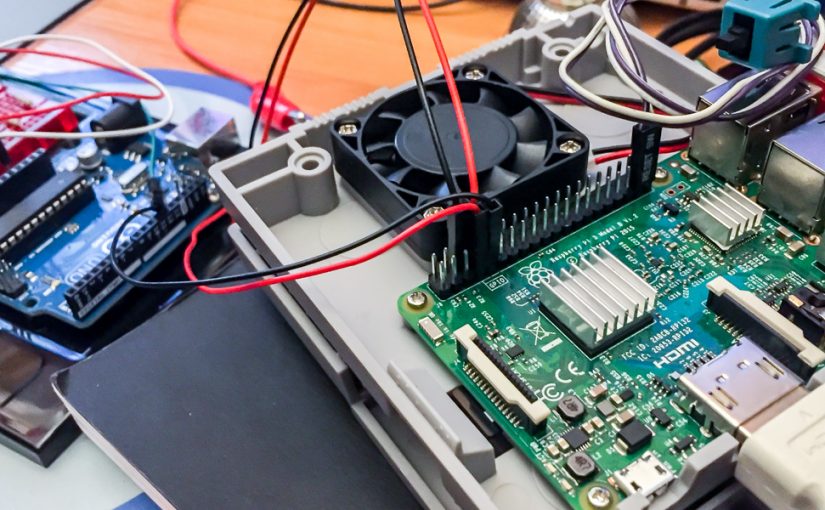
Notes for basic installation of multimedia control devices.
Install OS from image:
https://www.raspberrypi.org/downloads/raspbian
Flash to SD with Etcher
2. Continue with options:
for official Pi keyboard install English-US
3. Update repositories for new versions of installed packages:
$ sudo get-apt update4. Or, update everything to the new versions:
$ sudo apt-get upgrade(can be single command: apt-get update && apt-get upgrade)
Configuring using the console:
$ sudo raspi-config1. Enable SSH (in the example output is being set to 2, which is HDMI. Setting the output to 1 switches to analog-jack. The default setting is 0, which is automatic.)
$ amixer cset numid=3 2From the setup screen > advanced options > audio (HDMI or Analog)
2. Expand file-system.
SOFTWARE:
Firefox: $ sudo apt-get install firefox-esr
Processing: $ curl https://processing.org/download/install-arm.sh | sudo sh
NETWORK : can access Pi thru MacOS :
$ sudo apt-get update
$ sudo apt-get install netatalk
Raspberry will be in the Finder
To be able to access a USB flash with the project’s data files. (e.g. audio or video):
Instalar usbmount:
$ sudo apt-get install usbmount Assigning URL’s to the USB (the PEN´s title must be the same)
e.g. Processing:
$ player = new SoundFile(this, "/media/pi/USB4GB/audiofile.aiff");HARDWARE:
Power Switch:
Turning off the Pi safely at the end of the day/session: shutdown/reset button:
https://www.hackster.io/glowascii/raspberry-pi-shutdown-restart-button-d5fd07
1. Add folder and python´s file: mkdir Scripts
cd Scripts
touch shutdown_pi.py
2. Go auto-run for the script: $ sudo nano /etc/rc.local
3. Add this line before the last instruction exit 0 *: python /home/pi/Scripts/shutdown_pi.py &
and that’s it! Restart to check if it works
LED state indicator (to know when to shut-off) :
Based in the project:
# Build a Simple Raspberry Pi LED Power/Status Indicator
https://howchoo.com/g/ytzjyzy4m2e/build-a-simple-raspberry-pi-led-power-status-indicator
Connections LED:
PIN6 > 300ΩR > GND > LED cathode (short)
PIN8 > LED anode (long)
Edit/boot/config.txt and add this line:
enable_uart=1
if you don’t give permission, copy by command line:
$ sudo cp /home/pi/Desktop/config.txt /boot/config.txt